

How to Find the Best Companies to Transfer DVDs to Digital
Learn why digitizing DVDs to hard drives and cloud has become as important as any other digitizing service as DVD players and drives become scarce. And and our review of the America’s top-five slide & DVD transfer companies.
From the mid-90s through the 2010s, over 90% of all digitizing of analog photos and videos was put onto DVDs and CDs. If you did a family photo shoot, or hired a wedding photographer, the odds are that those precious memories were also put on a CD or DVD. This was the best technology we had, and these discs served us well, for a time. Here’s the problem. Today, 0% of new laptops and under 2% of new desktop computers have a DVD drive. According to Consumer Reports, now under 50% of American households own a working DVD player. And while a professional Hollywood movie DVD theoretically lasts 30 to 100 years, the consumer grade DVD-Rs burned by most digitizing companies (or DIY digitizers) have a shelf life of more like 15 years. We’re at that point now, and that leaves aside all of the issues that arrive as DVDs scratch, bend or suffer due to poor storage conditions in heat and/or humidity. The current failure rate when people try to play older burned DVD-R discs is as high as 20%. The bottom line – anyone who previously scanned their photos or digitized their VHS tapes to CD or DVD needs to get those digitized into hard drives and cloud backups ASAP. In this article, we’ll provide you some key questions to help you find the right provider for DVD to digital transfers. If you do have a working DVD drive on a solid desktop computer, and only have a few discs to digitize, you can absolutely attempt this at home using free software. Visit here for our guide on DVD digitizing at home with Handbrake.
Question 1: What kind of output will I get for data discs vs. playable discs?
Why this matters: Some discs just have files on them which can be dragged off, as is. But if you have DVDs with playable menus, that process will not go well for you.
The answer you want to hear: You want to hear that your playable DVDs will be provided to you as a playable .mp4 file, not an ISO, which is an image of the DVD that allows burning new ones, and requires complicated software to play and various clicking through folders to find the correct file to play. It’s crucial that you confirm that your provider provides DVD transfer to .mp4, not just DVD duplication services.
Question 2: How do you handle damaged discs or disc failures?
Why this matters: Most companies use a robot or other automated process for high volume DVD and CD transfers. They work well for ~90% of discs. But many companies reject the other 10% as not recoverable, which is not likely the right answer.
The answer you want to hear: Ideally, your provider will tell you that they have a secondary transfer process for DVD and CD transfers. Fast, automated transfer machines are not good with damaged discs. A proper transfer service will offer at least one of two alternatives:
1. Playing the discs in a far more forgiving legacy DVD player and capturing the video live (this is very similar to how VHS tapes are transferred).
2. Using software tools like ISOBuster to attempt DVD recovery on a dedicated workstation.
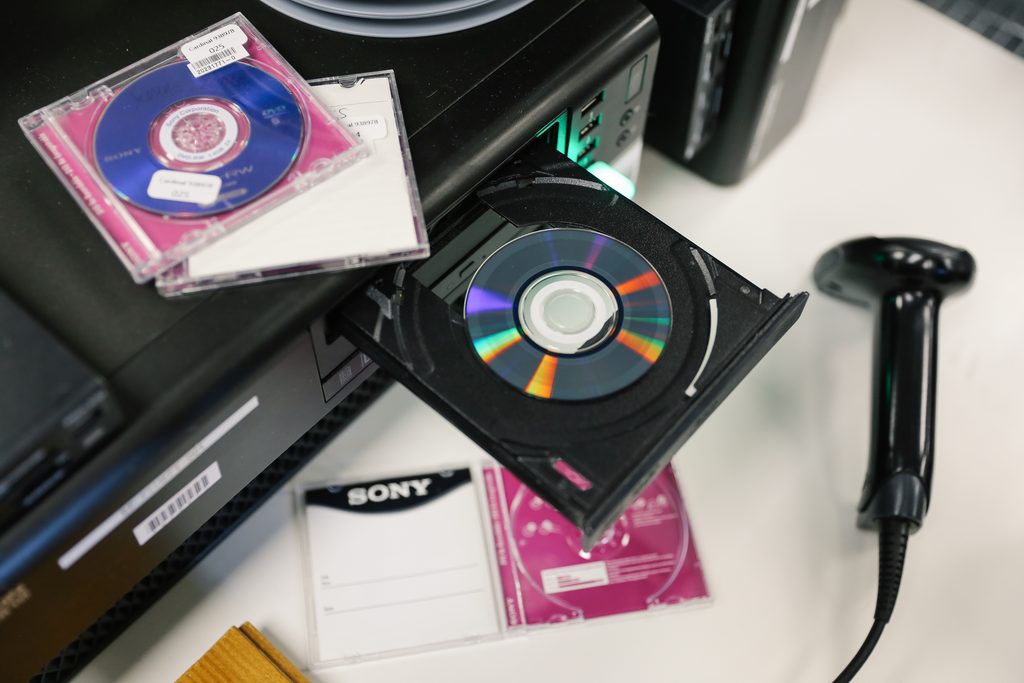
Question 3: Do you have capabilities to digitize MiniDVDs?
Why this matters: Many companies who digitize full-sized DVDs do not properly handle the MiniDVDs that were the output on one of the last generation of handheld camcorders that didn’t rely on flash memory.
The answer you want to hear: Very specifically, you want to not only hear that your provider can handle MiniDVDs, but that they have a process to digitize “discs that are not finalized.” There was a button you had to press on the old camcorders to “finalize” the discs. A huge portion of people failed to do this. Regular DVD transfer processes will show these discs as a failure. But there are workarounds that most companies ignore. If you have MiniDVDs, you must ask this question, and you should not be offended if a company charges much more for these smaller discs. They are much more difficult to digitize.
Question 4: Can the footage be improved?
Why this matters: People mistakenly think that DVDs, by being more modern, have higher quality content. They don’t, and because DVD transfers are not a huge focus for most digitizing companies, offerings are unnecessarily limited.
Answer you want to hear: Basically, you want to hear that all of the advanced options a company should be offering for video tape transfer or photo scanning are also available for DVD transfers or CD rips. For example, HD upscaling of analog video, or enhancement of scanned photos, are all equally possible for the material that was originally digitized onto a DVD.
Question 5: What other digital media do you transfer?
Why this matters: Digital media transfers are often an afterthought digitizing companies, and that’s not what you want.
Answers you want to hear: If a company also offers transfer of various formats of SD cards and floppy discs, that tells you the company is serious about this niche of digital preservation.
The purpose of this article is to help you evaluate any slide or negative scanning company. At EverPresent we are huge proponents of local digitizing companies, and this article will help you pick the good ones, especially outside of the 14 states where we provide local service.
For those of you open to the mail, below we have provided a detailed comparison of the five DVD transfer and digital media conversion companies in America.
Comparing The Five Largest DVD to Digital Transfer Services
An honest comparison to help you choose the best company to preserve your DVDs as digital mp4 files.

There is a difference between having a file and having something you actually want to watch.
|
EverPresent DVD Transfers
|
|---|
|
Other Transfer Services
|
|---|
Shopping & Service Experience
We are the only major national company that makes it 100% free to get us your project, counts everything for you, build an inventory, and provides a free estimate and personal consultation before you pay a dime.
|
EverPresent |
LegacyBox |
iMemories |
ScanCafe |
CVS, Walmart |
|
|---|---|---|---|---|---|
|
Inventory & Quotes |
✅ |
❌ |
❌ |
❌ |
❌ |
|
Order Approval |
✅ |
❌ |
❌ |
✅ |
❌ |
|
Personalized Ordering Experience |
✅ |
❌ |
❌ |
✅ |
❌ |
|
Digital Delivery Options |
✅ |
❌ |
✅ |
❌ |
❌ |
*Information regarding competitors is based on public research and market knowledge available at the time of publication. Product features, and service offerings are subject to change. EverPresent does not guarantee the absolute accuracy of competitor data. Please verify all information directly with the respective service provider.
Shipping & Drop-off Experience
All transport between our stores, your homes and our high-tech labs is handled by our private in-house logistics network that’s 100% devoted to safely transporting your precious photos and videos.
|
EverPresent |
LegacyBox |
iMemories |
ScanCafe |
CVS, Walmart |
|
|---|---|---|---|---|---|
|
Home Pickup |
✅ |
❌ |
❌ |
❌ |
❌ |
|
Local Stores |
✅ |
❌ |
❌ |
❌ |
✅ |
|
Inbound Shipping Included |
✅ |
✅ |
❌ |
❌ |
✅ |
|
Flexible Shipping Approach |
✅ |
❌ |
❌ |
✅ |
✅ |
Format Guides
DVD Guide
CD Guide
MiniDVD Guide
Data vs. Playable Disc Guide
Helpful Articles
How long do DVDs last?
How much material is stored on DVDs?
Identifying and understanding the difference between CDs and DVDs
How do digitize DVDs at home
*Information regarding competitors is based on public research and market knowledge available at the time of publication. Product features, and service offerings are subject to change. EverPresent does not guarantee the absolute accuracy of competitor data. Please verify all information directly with the respective service provider.