
Compact discs, commonly known as CDs, transformed how people listened to music and stored digital information. While most people associate CDs with music albums, they were also widely used to save family photographs, personal audio recordings, computer backups, and important documents.
Two CDs can look nearly identical but contain completely different types of information. Understanding how they were recorded can help you identify what’s on them and determine how to access their contents.
Here are a few things worth knowing about CDs:
- CDs were introduced commercially in 1982, originally as a digital music format developed by Philips and Sony.
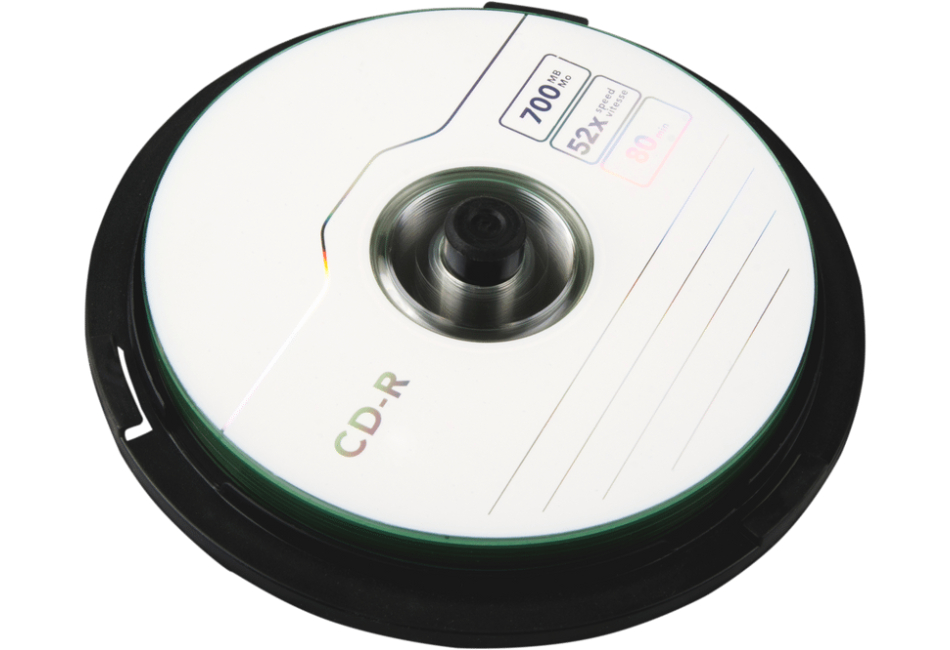
- A standard CD measures 12 centimeters (4.7 inches) across and typically holds 650MB to 700MB of data or approximately 74 to 80 minutes of traditional CD audio.
- CD-R discs can be recorded once, while CD-RW discs can be erased and rewritten using compatible equipment.
- Audio CDs and data CDs use different recording structures. Traditional audio CDs are designed for CD players, while data CDs store individual computer files.
- Photo CDs became especially popular during the 1990s and 2000s, when photo-processing labs began providing digital copies of developed photographs on discs.
- CDs can deteriorate over time, particularly recordable discs exposed to heat, sunlight, moisture, or physical damage.
How Can You Identify What Type of CD You Have?
Begin by examining the label. Commercial music CDs usually have printed artwork and track listings, while personally recorded CD-Rs often have handwritten descriptions such as “Family Photos,” “Vacation 2002,” or “Computer Backup.”
Look for markings such as CD-R or CD-RW, which indicate whether the disc was recorded once or could be rewritten.
The most reliable way to identify the contents is to open the disc using a compatible computer drive. A data CD generally displays recognizable files and folders. A traditional audio CD may appear as a list of tracks rather than ordinary MP3 or WAV files.
What’s the Difference Between an Audio CD and a Data CD?
A traditional audio CD stores music or recordings in a format designed for standard CD players. The audio tracks must be extracted, often called ripping, to create individual digital audio files.
A data CD stores files much like a USB drive. It might contain JPG photographs, MP3 recordings, Word documents, or folders copied from an older computer.
A CD containing MP3 files isn’t necessarily a traditional audio CD. Some modern CD players support MP3 data discs, but older players may not recognize them.
What If Your CD Won’t Play?
If a CD doesn’t work in a traditional CD player, it may simply be a data disc rather than an audio CD.
Compatibility can also be an issue. Some older CD players cannot read CD-RW discs, and certain computer drives may struggle with discs created using older recording software.
A disc may also have been recorded without closing its session, or it may contain a file system that isn’t recognized by the device you’re using. Scratches and deterioration can also prevent successful reading.
Can You Transfer CDs to Digital Files?
Yes. EverPresent helps preserve personal audio recordings, photographs, and other digital content stored on compatible CDs.
Traditional audio CDs require their tracks to be extracted into digital audio files, while data CDs may already contain files that can be copied to modern storage.
Transferring these collections helps preserve their contents without relying on aging CD players or computer disc drives.
Contact EverPresent at 866-363-3351 to discuss your CD collection and available transfer options.