
DVDs were once one of the most popular ways to watch movies, preserve home videos, and store digital files. From wedding recordings and VHS transfers to family photo collections, millions of memories were saved onto these familiar silver discs.
Although DVDs are already digital, the way information was recorded onto them determines whether they can be played in a DVD player, opened on a computer, or easily transferred to modern storage.
Here are a few things worth knowing about DVDs:
- DVDs became commercially available in the late 1990s, offering greater storage capacity than CDs and an alternative to VHS tapes for watching video.
- A standard DVD measures 12 centimeters (4.7 inches) across and typically holds 4.7GB of data. Dual-layer DVDs can hold approximately 8.5GB.
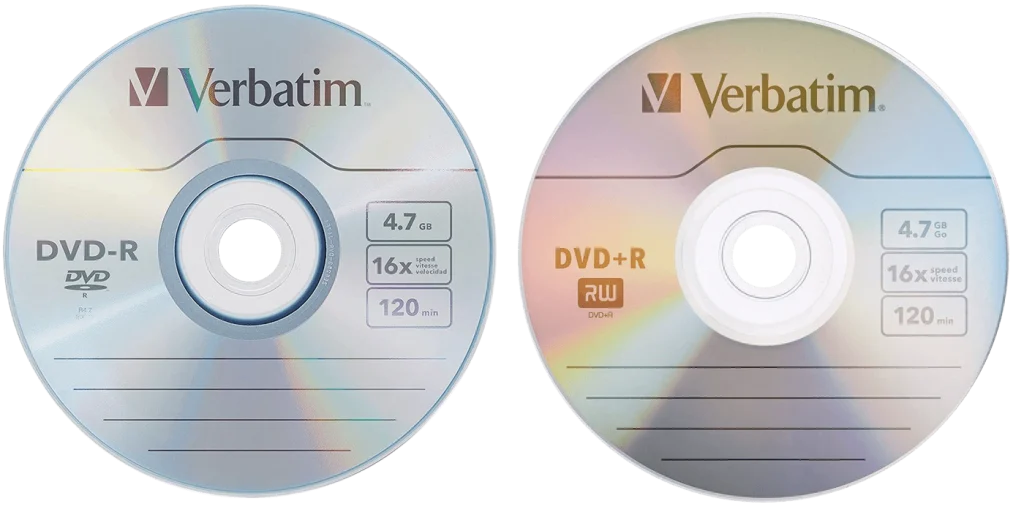
- DVD-R and DVD+R discs are recordable formats, meaning information can be written to them once. DVD-RW and DVD+RW discs can be erased and reused with compatible equipment.
- DVDs can be playable discs or data discs. A playable DVD uses a structure designed for DVD players, while a data DVD stores individual files such as photographs, documents, or digital videos.
- Many home DVDs were created from VHS tapes or camcorder recordings, particularly during the 2000s when DVD recorders and computer DVD burners became common.
- Recordable DVDs can deteriorate over time. Scratches, damage to the recording layer, and poor storage conditions can eventually make their contents inaccessible.
How Can You Identify What Type of DVD You Have?
Start by looking at the writing on the disc. Labels such as DVD-R, DVD+R, DVD-RW, or DVD+RW identify the type of recordable media, but they don’t tell you what information is stored on it.
A professionally manufactured DVD may have a printed label and a movie title, while a home-recorded DVD often has handwritten dates, event names, or descriptions.
To identify the contents, insert the disc into a compatible computer drive. A DVD containing a folder called VIDEO_TS is typically formatted as a playable DVD-Video disc. A DVD containing individual JPG photographs, MP4 videos, or other files is generally a data DVD.
What’s the Difference Between a Data DVD and a Playable DVD?
A playable DVD is designed to work in a traditional DVD player. It may have menus, chapters, and video titles that play automatically when the disc is inserted.
A data DVD works more like a USB drive. It contains individual files that can be opened or copied using a computer. Even if those files are videos, the disc may not play in a standard DVD player.
For example, a DVD containing an MP4 file of a wedding is a data DVD, while a DVD containing that same wedding in a DVD-Video structure is a playable DVD.
What If Your DVD Won’t Play?
A DVD that doesn’t play isn’t necessarily damaged. Some older DVD players don’t support every recordable disc format, and certain computer drives may have trouble reading discs created by older recording equipment.
A DVD may also have been left unfinalized after recording, preventing it from playing in other devices. Scratches, recording errors, and deterioration can cause similar symptoms.
If a disc isn’t recognized, avoid repeatedly attempting to play it in incompatible equipment or using abrasive cleaning methods.
Can You Transfer DVDs to Digital Files?
Yes. EverPresent helps families transfer personal video recordings and other content stored on DVDs into digital formats that are easier to access, organize, and share.
Playable DVDs may require video extraction or conversion, while data DVDs may contain files that can be copied directly. The appropriate process depends on the disc’s contents and condition.
Contact EverPresent at 866-363-3351 to discuss preserving your personal DVD collection.